- Arrests
-
Our Service
-
-
Overview
- How It Works
- Web App
- PDF Quick Print
-
Arrest Data
- LegalGrab Arrest Data
- Address Scrubbing
-
-
-
We Serve
-
-
Criminal Defense Law
- Criminal Defense Leads
- Criminal Defense Marketing
- Direct Mail Works
- Ask Yourself This
- The Business Aspect
- R.O.I. over 3,000%
- A Numbers Game
- Strategically Target
- Personalize Your Material
- AdWords & SEO Dont Cut It
-
Immigration Law
- Immigration Attorney Leads
-
Auto Insurance
- Auto Insurance Leads
- Sign FR44 DUI Policies
-
Reputation Management
- Reputation Management Leads
-
Treatment Centers
- Treatment Center Leads
-
Record Expungement
- Record Expungement Leads
-
-
- Testimonials
- Pricing
- Help
- Contact
- Hub
Web App
Easy to use, feature rich and customizable
Easy to use
Our web app is extremely easy to use. It is an familiar display that is very similar to software and web applications you have used. You will get the hang of it real fast.
Feature rich
The web app contains features which will streamline the selection and mailing process. We are constantly evolving and will be adding even more effective and efficient features.
Customizable
Customize the web app to your needs and desired format. You can customize the display of the arrest table as well as the ability to create specific filters and date ranges.
Arrest Table
Overview
The core part of our service is the arrest table. This is where you view the records, select your prospects and export their data. More info here

Sorting
Sorting any column is simple. Click the column header and it will sort ascending or descending. More info here

Added Date
The added date is the date the individual was added to our database. Use the date picker to select a specific day or a custom range. More info here

Booked Date
The booked date is the date that the individual was booked into jail. Use the date picker to select a specific day or a custom range. More info here

Counties Filter
You can select which counties you only wish to view. You can view any and all counties available with your subscription. More info here

Charge Filter
Pick only specific charges you wish to view. The charge filter will instantly filter out all arrestees without the specific charge. More info here

Arrest Counter
The arrest counter will display the number of arrests in the table. The counter will update if you apply filters, modify dates, search and more. More info here

Search
The search filter allows you to search all records in the arrest table. The table updates automatically as you enter a search term. More info here

View
Select how many rows you wish to view on each page. You can view as little as 15 or as many as 1000 rows per page. More info here

Select
Select your prospects individually or all of them. You can click on the checkbox or anywhere on the row. More info here

Export
Once you have selected your prospects it is time to mail. Clicking export open the Export Window giving you many export options. More info here

Demographic Filter
Click the Demographic Filter button to display additional filters. Filter based on age, sex, race and ZIP-AGI. More info here

ZIP-AGI Filter
The ZIP-AGIfilter is a slider that allows you to specific a range of values and display only results in that range. More info here

Age Filter
The Age Filter is a slider that allows you to specific age range and display only arrestees who fall within the age range you specify. More info here

Sex Filter
Filter arrestees based upon gender. Select the gender(s) you wish to view in the table. More info here

Race Filter
Filter the arrest table based upon ethnicity. Select the ethnicities you wish to view in the table. More info here

Pagination
Depending on the amount of records in the table and the amount of rows you are viewing, the table will separate into pages. More info here

Account Management
Table Settings
Fully customize the look and feel of the arrest table. Customize the number of rows, filters, counties and more. More info here

User Profile
View or update your account. Modify your current information or simply view your account info. More info here

System Status
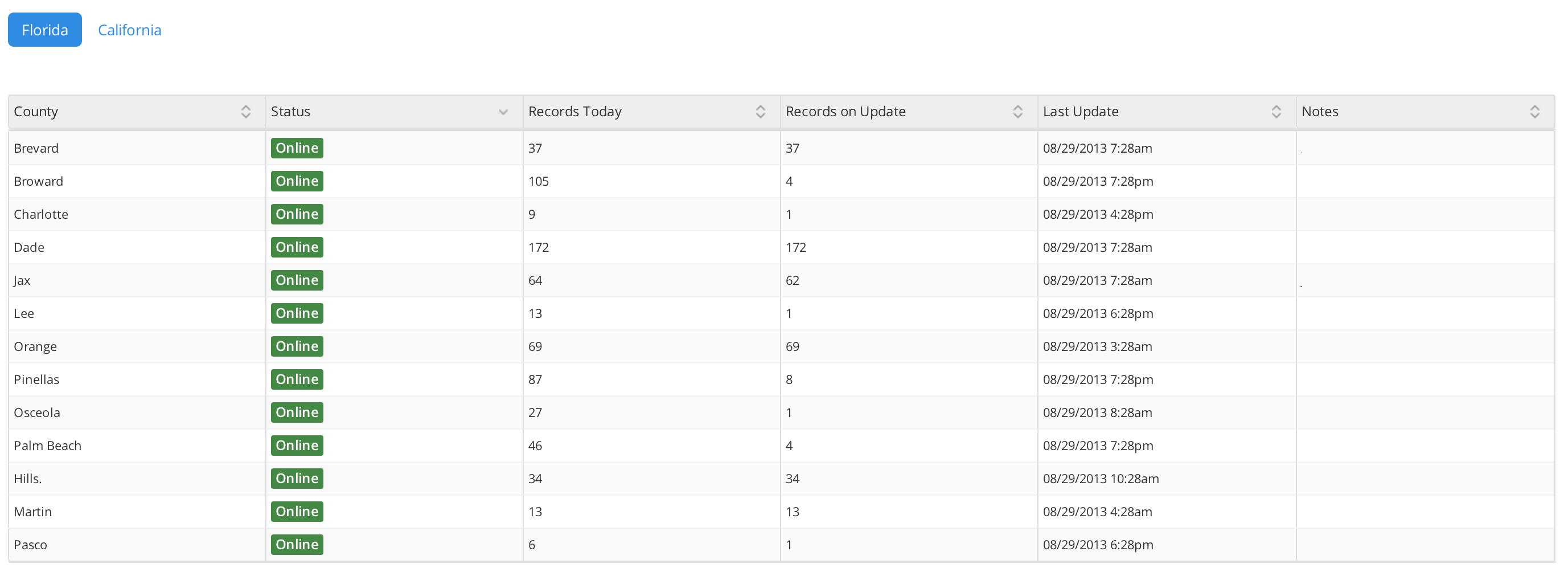
See how the system is running. View which counties are online, their last update time and number of records. More info here
User Exports
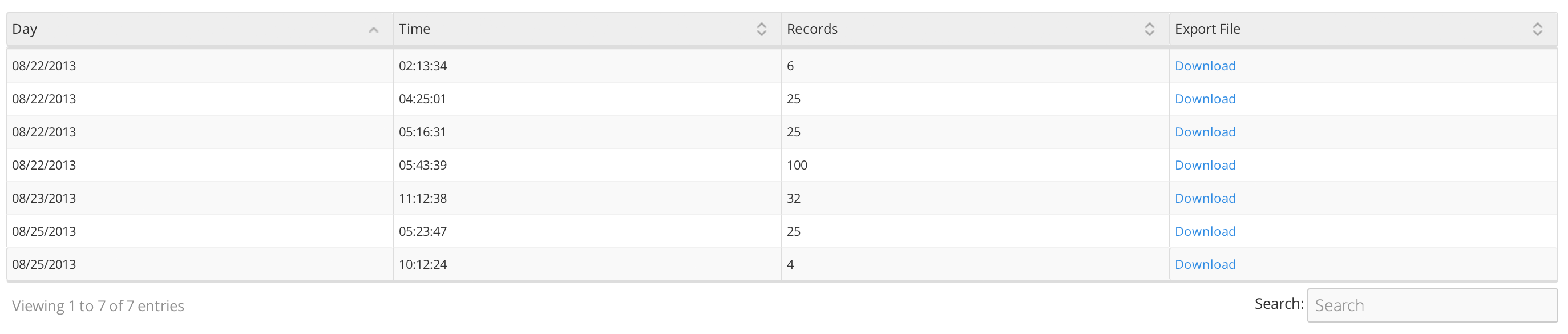
Your export files are saved online on our server. We permanently store your export files so that you can access them in the future. More info here
Export Settings
Set your preferred export settings. This includes your preferred file type and PDF medium. More info here